 Official partner in Mexico
AI agents that work inside your team’s chat.
Zenzap is a work chat where people and AI agents share the same groups. At Ikona we connect it to monday.com, Odoo, and the rest of your operation, and we stay with your team until they use it every day.
30-minute demo with an Ikona consultant. Free, no commitment.

What Zenzap is
The chat where the conversation ends in work done.
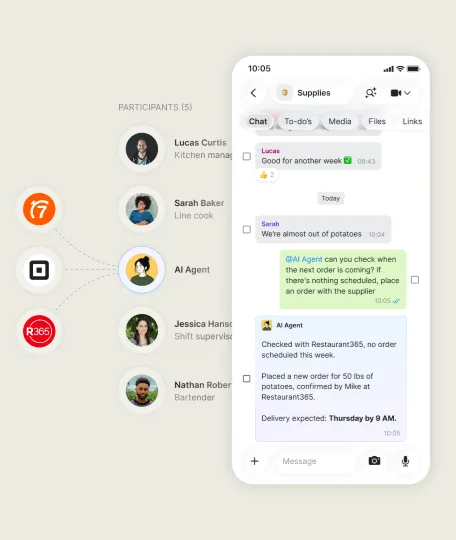
Topics, files, to-dos, and AI search in one place. Agents join the group like another teammate: you ask, they connect to your systems, and they resolve it in plain sight.

-
Agents in the group chat
The whole team sees what the agent does, and anyone with permission can assign it work.
-
Connected to your tools
It updates a record, opens a ticket, or checks your CRM, calendar, and email without middleware.
-
Automated workflows
Describe what you want to automate and the agent builds it. Follow-ups and handoffs no longer depend on someone remembering them.
-
Context that compounds
The agent learns from conversations and your systems, so each week it needs less explanation.
Why Ikona
We already know the systems your agents will connect to.
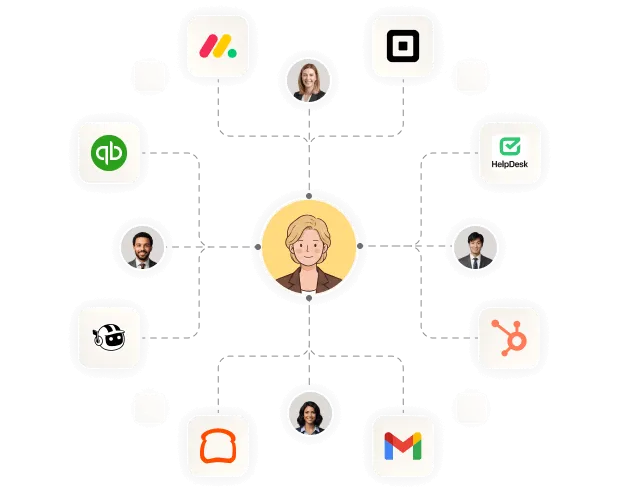
An agent is only useful if it understands your boards, your ERP, and your automations. We are partners of all three platforms, and that is where we start.
- Silver Partner monday.com
Create items, change status, and summarize boards without leaving chat.
“Which projects are behind this week?” - Ready Partner Odoo
Query inventory, orders, and invoices, and trigger approvals from the group.
“Generate the invoice for order S00412 and send it for approval.” - Partner Make
When there’s no native connector, we build the scenario and the agent runs it.
“When a site lead arrives, score it and assign it.”
Use cases by industry
How it looks in the industries we already serve.
What happens
Shipment documents arrive by email and chat, in pieces and to different people.
What the agent does
Puts the file together, finds the missing document, asks the client for it, and updates the customs entry status in monday.com.
What changes
Traffic stops chasing paperwork, and compliance errors show up before the shipment is cleared.
How we implement it
Process first, then the agent.
The same methodology we use on every project: redesign the operation before turning on the tool.
-
Diagnosis
We map where time is lost today: follow-ups, handoffs, and double entry across systems.
-
Agent design
We define what each agent does, which groups it joins, and which actions need approval.
-
Connection
We integrate it with monday.com, Odoo, email, and calendar, and test with real cases from your operation.
-
Adoption
We train key users and adjust during the first weeks, until the team keeps using it on its own.
Control & security
You decide what each agent sees and can do.
We set up the permissions with you from the first day, so the AI works within clear rules.
- Who can add agents
- What actions each agent can run
- Which chats it can access
- Which actions need human approval
According to Zenzap, your data is not used to train AI models, and the platform complies with GDPR, SOC 2 Type II, HIPAA, and ISO 27001.
See it work with one of your processes.
Tell us about a workflow that today lives between chats, emails, and spreadsheets. In the demo we show you how an agent connected to your systems would handle it.